
Switching from GloriaFood: a checklist for links, menu and test run
Leaving GloriaFood takes more than a new order form. According to GloriaFood, the service ends on 30 April 2027 (as of October 2026). This checklist walks you through every ordering entry point, the menu, your operating rules and the test run. It also shows what the OrderKick menu import carries over and what you need to document by hand.
In this article
What belongs on a GloriaFood switch checklist?
A GloriaFood switch checklist covers every ordering entry point, the menu with all its extra details, opening and delivery rules, coupons, records for accounting and a test run before you switch. GloriaFood states on its website that the service reaches end of life on 30 April 2027 and that it supports existing customers until then (accessed 11 October 2026).[1]
Work through the points in this order. That way you know which links to replace before you switch, and your ordering channel does not go dark.
- Collect every ordering link and entry point: website, Google Business Profile, Instagram, Facebook, flyers, QR codes, email signature, short links.
- Back up the menu structure: categories, dishes, sizes, choice groups, prices and notes, plus images, allergens, labels and time rules.
- Write down opening hours, breaks, public holidays and special days for each service.
- Record your delivery logic: delivery areas, delivery fees, minimum order values, pickup and delivery times.
- List coupons and promotions with code, condition and validity.
- Back up records for accounting and record keeping, as far as GloriaFood provides them.
- Import the menu into the new system and fill the gaps by hand.
- Prepare the replacement of QR codes, website button and Google link.
- Run test orders for pickup, delivery, extras, coupons and ticket printing.
- Switch the links, check old entry points and note the switch date.
Which ordering links and entry points do you need to collect?
Collect every place where guests reach your GloriaFood ordering today, because a switch fails more often on forgotten links than on the menu. Keep a simple list with the place, the current link, who is responsible and the status.
- Website: order button, embedded widget, header menu item, footer.
- Google Business Profile: ordering link and menu link.
- Social media: Instagram bio link, Facebook button, pinned posts.
- Print: QR codes on tables, stands, flyers, bags and menus.
- Other: email signature, messenger profiles, saved short links, business directories.
Check each entry while logged out or in a private browser window. That way you see the link the way a guest does, not through your admin login.
What is carried over, and what do you set up again?
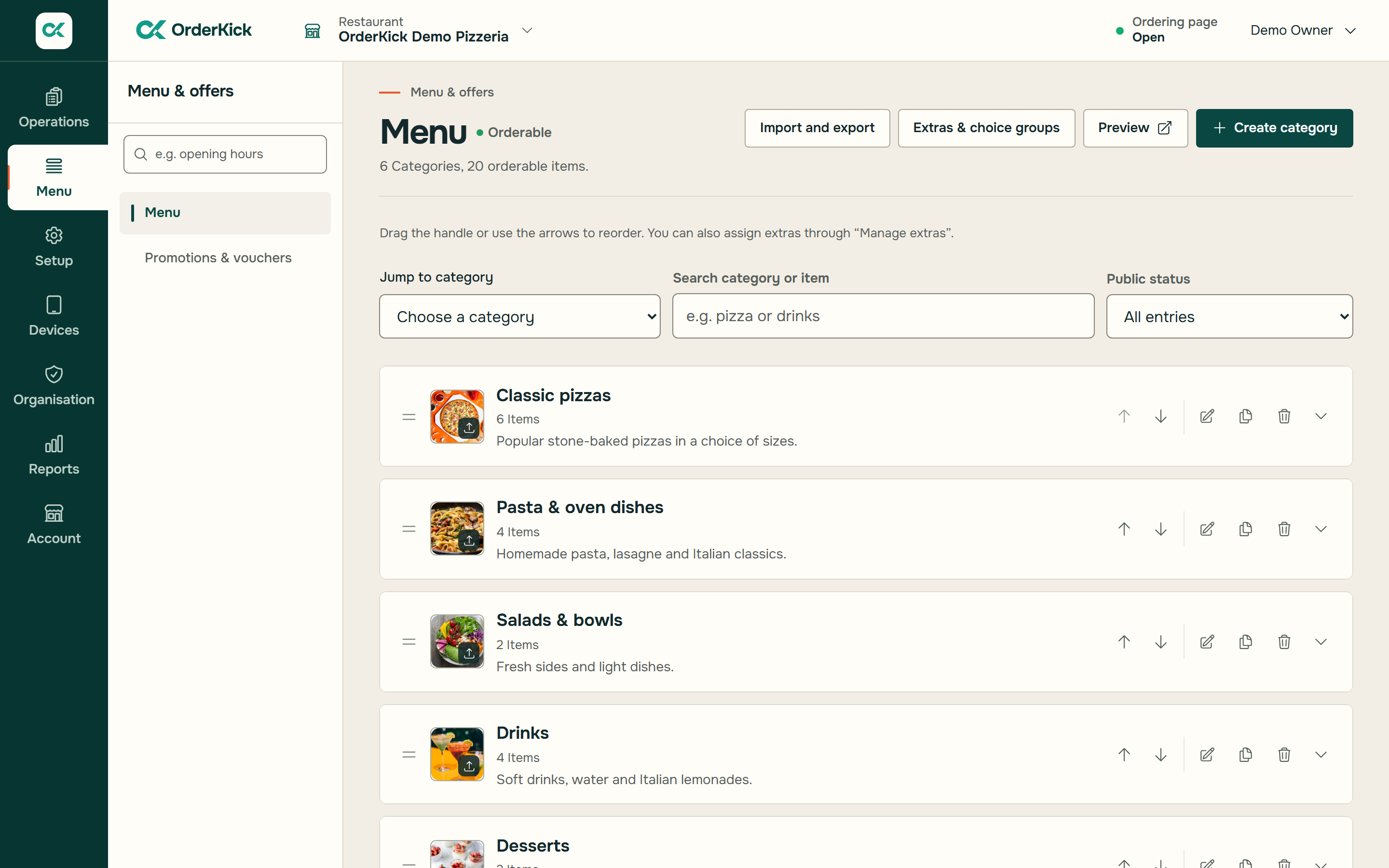
The OrderKick menu import carries over the structure of your GloriaFood menu, plus allergens and labels when GloriaFood provides them unambiguously; you set up images, nutrition, time rules and guest data again or back them up separately. You import with the menu key from "Fetch Menu" or with a JSON file. You then see a preview with notes and a tax choice, the menu arrives as a hidden draft, and you activate the categories only after your review.[4]
| Area | OrderKick menu import | What you do |
|---|---|---|
| Categories and dishes | Carried over | Check names and order in the preview. |
| Descriptions | Carried over | Proofread texts and add notes. |
| Sizes with prices | Carried over | Check the final price per size with a test order. |
| Choice groups and options (required, minimum, maximum, surcharges) | Carried over | Test required choices and maximum quantities in the cart. |
| Order types per dish | Carried over | Check which dishes appear only for pickup or delivery. |
| Images | Not carried over | Back up the original files and add them again. |
| Allergens and labels | Carried over when unambiguous | Check them before publishing; add ambiguous or custom-named allergens. |
| Nutrition | Not carried over | Document it from GloriaFood and decide before launch how you inform guests. |
| Time rules on individual dishes | Not carried over, affected entries stay hidden | Note the times, review the entries and only then make them visible. |
| Opening hours, delivery areas, fees, minimum order | Not part of the menu import | Set them up again in OrderKick for each service. |
| Coupons and promotions | Not part of the menu import | Create code, condition and validity again. |
| Guest, order, payment and invoice data | Not carried over | Back up the records you need before GloriaFood ends. |
| QR codes, website button, Google link | Not part of the menu import | Replace the links after testing. |
There is no ongoing sync. Any change you still make in GloriaFood after the import has to be added in OrderKick by you. From the import onwards, maintain the menu in one place only and note the import date.[4]
In the preview, pay particular attention to the tax choice and to whether your prices are meant gross or net. A single test order with a size and an extra quickly shows whether the total is right.
Which opening hours and delivery rules do you need to write down?
Write down all times and delivery rules separately for pickup and delivery, because they are not part of the menu import and have to be set up again. This includes regular opening hours, breaks, public holidays, company holidays and special days.
For delivery, you need delivery areas, delivery fees, minimum order values and the usual delivery time. In OrderKick you set up delivery areas as radius zones with a fee and minimum order and define opening hours per service with breaks and special days. Check whether your current zones can be mapped this way.[5]
Also write down the kitchen rules that so far live only in the team's heads: lead time at peak hours, last order before closing, items that often sell out.
How do you plan the replacement of QR codes and the website widget?
Plan the replacement as a list of every printed code and every website element, so that no old link remains after the switch. Otherwise old QR codes on tables, flyers and signs lead nowhere once GloriaFood ends.
OrderKick provides an ordering link, a website button, QR codes as PNG and SVG, and flyers in A4 and A5. Order new print materials only once your new link has been tested. On your website, replace the GloriaFood widget with a button or link to your new ordering page.[5]
How do you change the ordering link in your Google Business Profile?
You change the ordering link in your Google Business Profile under "Food ordering" with "Add link", and with several links you set a preferred link. That is how Google's help page on managing business links describes it (accessed 11 October 2026).[3]
According to Google, turning off the option to accept orders on your profile hides all ordering options and links you have added. Third-party links are removed by the provider; Google names a window of 5 days after your request. Allow for this time if an old GloriaFood link is still on your profile.[3]
Change the Google link only after your test orders have gone through. Then check in Google Search and Google Maps which link guests actually see.
What happens to coupons, guest data and records?
You create coupons again, and guest, order, payment and invoice data are not transferred by the OrderKick import. List every active coupon with code, discount, condition and validity, and decide which ones you continue.[4]
Before 30 April 2027, clarify which reports and receipts you need for accounting and record keeping, and back them up as far as GloriaFood offers an export. Whether you may keep using stored guest contacts is a data protection question you need to settle for your business.[1]
How do you test before you switch?
Test every ordering path with real restaurant routines before you change a single public link. A test order reveals errors in prices, required choices or delivery areas that do not show up in the preview.
- Place one pickup and one delivery order, including an address outside the delivery area.
- Order a dish with a size, a required choice and an extra, and recalculate the total.
- Redeem a coupon and check that the condition applies.
- Receive the order in the order-intake app on a tablet or phone with an alarm, accept it with a time and decline a second one.
- Check the kitchen ticket on the networked Epson receipt printer: size, extras, note and order type.
- Then switch website, QR codes, social media and Google profile in the order of your list.
Sources:[5]
Set a fixed switch date well before 30 April 2027. Keep track of which links have been switched and which print materials are still in circulation.
Frequently asked questions
When does GloriaFood shut down?
According to the notice on gloriafood.com, GloriaFood reaches end of life on 30 April 2027 and supports existing customers until then (as of October 2026).
Can I import my GloriaFood menu into OrderKick?
Yes. You import it with the menu key of GloriaFood's "Fetch Menu" template or a JSON file. Categories, dishes, descriptions, sizes with prices, choice groups and order types are carried over. You review a preview, the menu arrives as a hidden draft and goes live only after you activate it.
Are images and allergens carried over from GloriaFood?
Allergens and labels yes, when GloriaFood provides them unambiguously; check them before publishing. Images, nutrition and time rules are not carried over. Back them up beforehand and add them by hand after the import.
Are my guest data and past orders transferred?
No. Guest, order, payment and invoice data stay in GloriaFood. Before it ends, back up what you need for accounting and record keeping.
When should I point my links to the new ordering page?
Only after successful test orders for pickup and delivery, including order intake and ticket printing. Then switch website, QR codes, social media and Google profile according to your list.
Sources & research
The OrderKick editorial team publishes this article from a vendor’s perspective. Facts about other providers come from the linked primary sources. Prices and availability were researched as of the stated date; the other systems were not tested in restaurant operation for this article.
Walk through your GloriaFood switch with us
Bring your link list and an example from your menu. In the demo we show you import, preview and a test order with example data.
Book a switch demo