
I run more than one restaurant.
Several locations. One menu.
One location becomes the shared menu for the others. You publish changes on purpose, each location takes its own orders, and one report shows all locations side by side.
Launching on 31 October 2026 – demos available now.
 1
11/3How do I keep one menu for all?
One change. The locations you choose.
You add new dishes and extras once, not again in every restaurant.
- 1A menu as the source
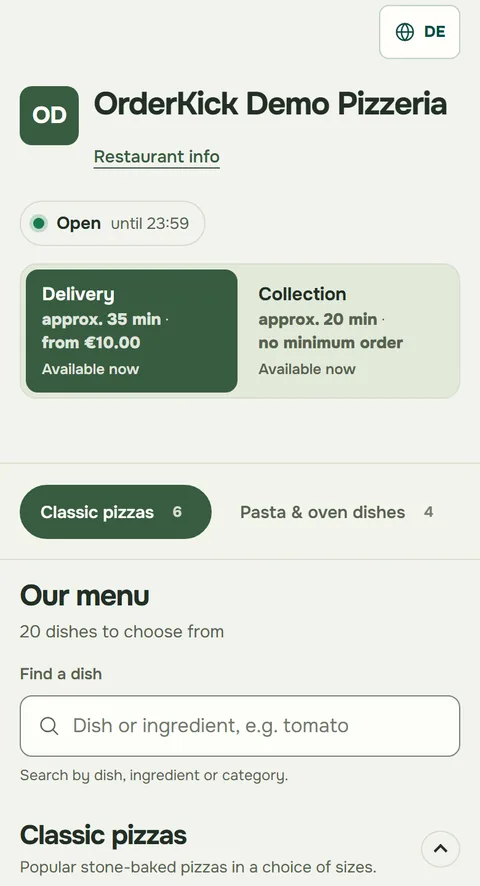
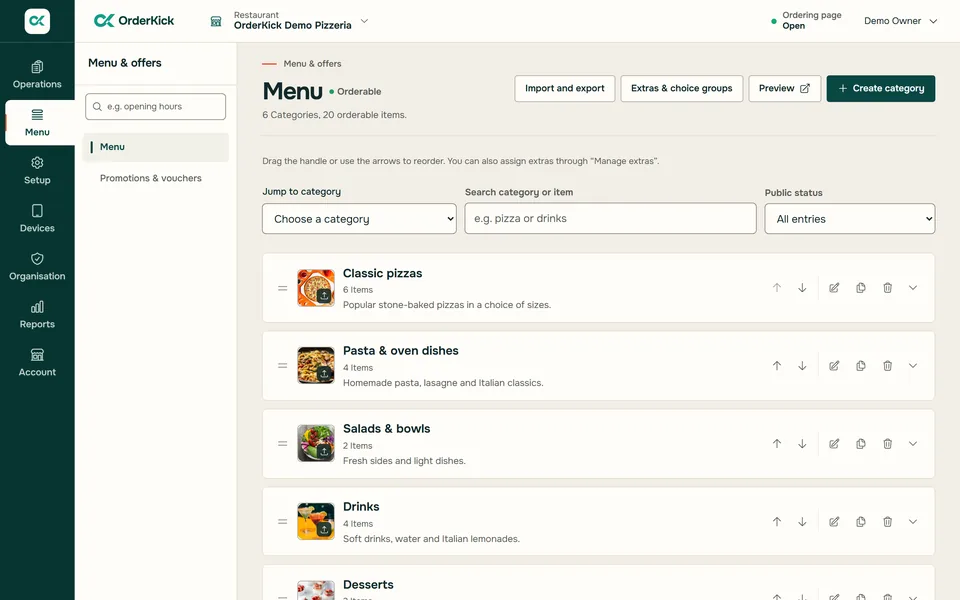
The menu of an existing location becomes the shared menu, with categories, dishes and extras.
- 2Assign locations
You choose which locations get the shared menu.
- 3Publish on purpose
A new version only arrives when you publish it, and only at the assigned locations.
Also shared: change the prices of selected dishes on the shared menu by a percentage, and switch them on or mark them unavailable for selected locations.
 1
1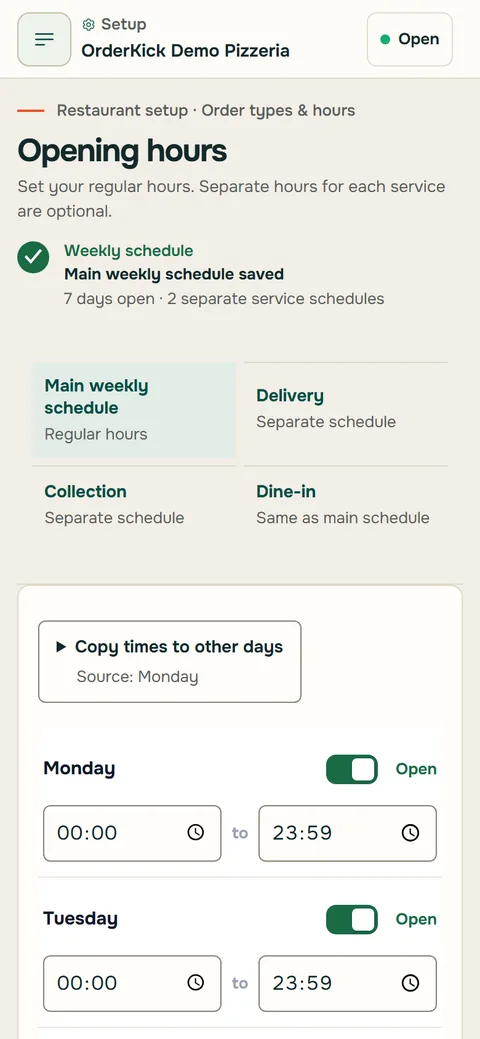 2
22/3What stays with each location?
Each restaurant works at its own pace.
The locations share the menu. Orders, hours and service stay on site.
- 1Its own order-intake app
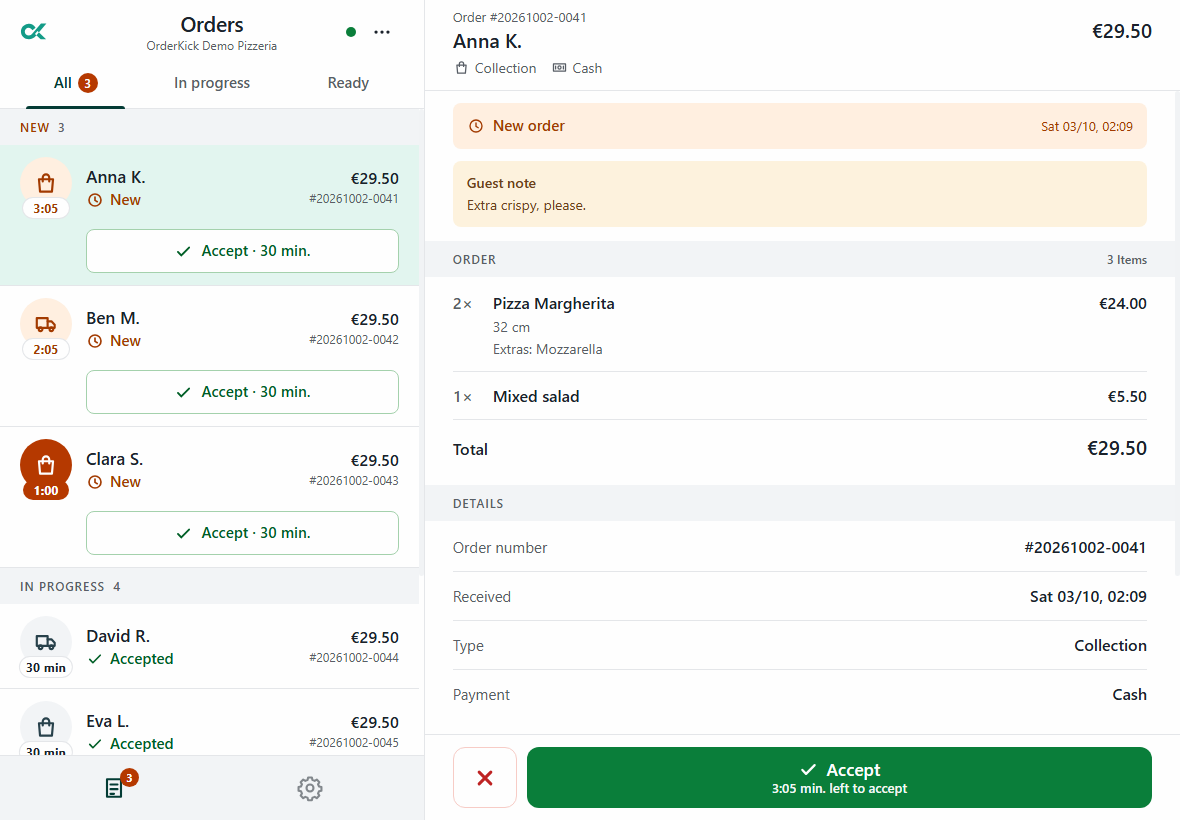
Each location takes its own orders. One device is active per location, and the receipt printer stands on site.
- 2Its own hours
Collection and delivery with their own weekly hours. When it gets busy, the location pauses taking orders.
- 3Its own exceptions
A location may have its own price and availability when you allow it. Its own dishes stay.
3/3How are my locations doing?
All locations in one report.
You choose the period and the locations. The report adds them up and shows each location on its own.
- 1Orders
For all locations together and per location.
- 2Revenue
Per location, with refunds deducted.
- 3Daily trend
How the chosen period develops day by day.
The report shows different currencies separately.
Each additional location: €29 a month plus VAT.
We switch on further locations for your account. We talk through how to set them up during the demo.
Questions about several locations
What owners of several restaurants ask.
Still have a question?Support by email and WhatsApp. In the demo we go through your questions with you.
Ask on WhatsAppDoes every location need the same menu?
No. You choose which locations get the shared menu. A location may have its own price and availability when you allow it, and its own dishes stay.
Do changes show at all locations right away?
No. A change only arrives when you publish the new version, and only at the locations you assigned.
How do I add another location?
We switch on further locations for your account. You then add the new location in the restaurant area and take over the menu, extras, hours and selected settings once from an existing location. Orders, guests, devices and printers are not taken over.
Does every location need its own device?
Yes. Each location takes its orders in its own order-intake app; one device is active per location. The receipt printer stands at the location too.
What does another location cost?
€29 a month plus VAT for each additional location.
Your next step
Your next ordering channel starts here.
We show you OrderKick with your own menu: 30 minutes, online via screen sharing. Reply by email within one business day.
And what does it cost? See pricing
Request a demoRather ask right away? Message us on WhatsApp