
I’m on GloriaFood. What now?
GloriaFood is closing. Switch without the rush.
GloriaFood shuts down on 30 April 2027. With OrderKick you get your ordering page with an ordering link, the order-intake app and the kitchen ticket, and you set everything up before you switch. Source: notice on gloriafood.com, last checked on 25 September 2026.
Launching on 31 October 2026 – demos available now.
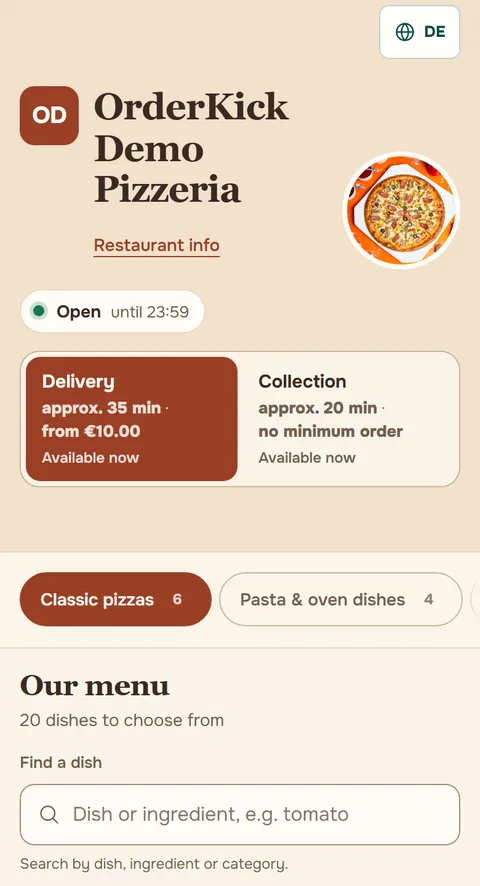
 1
1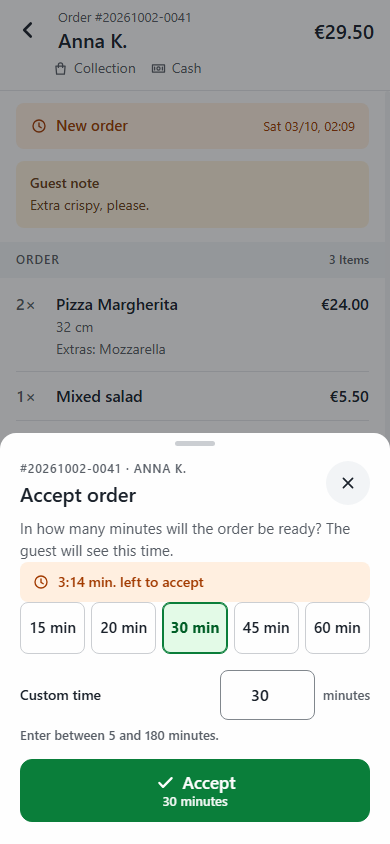 2Kitchen ticket3
What stays the same?
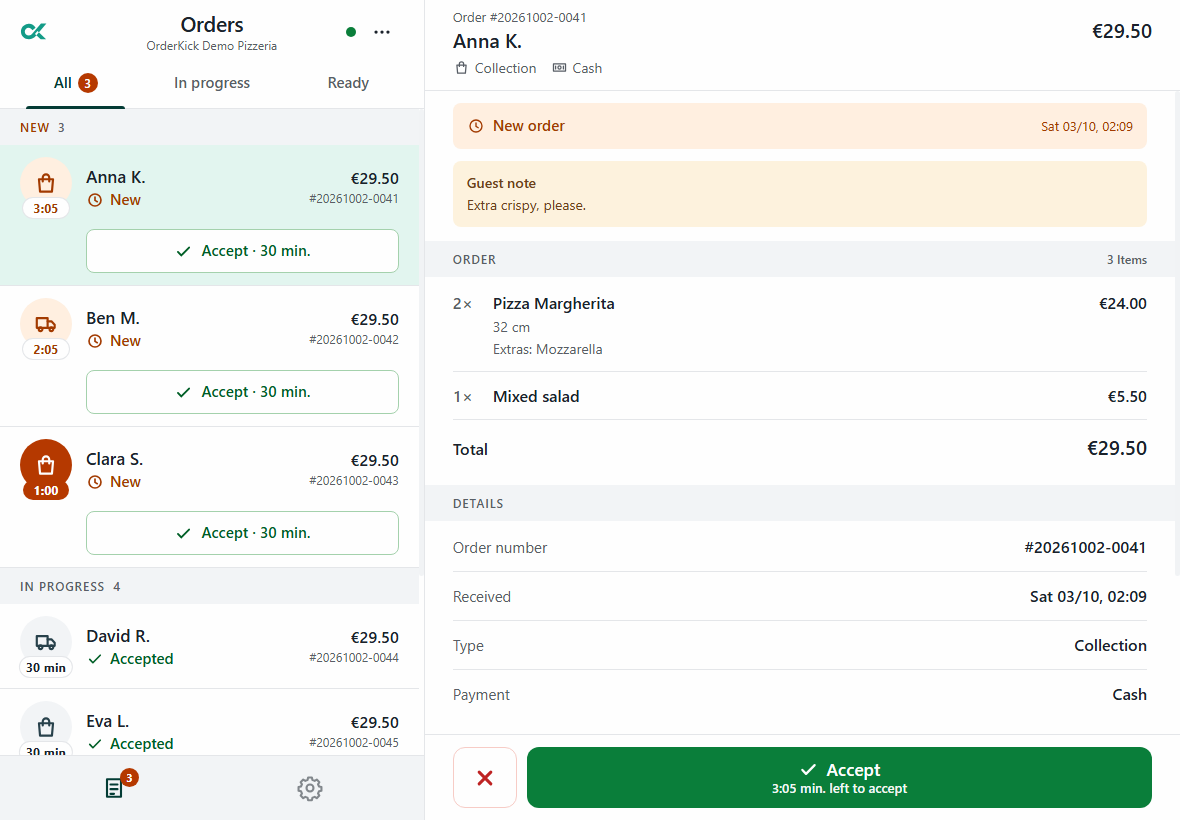
An order comes in, you accept it, the ticket prints.
You know this routine. With OrderKick it runs in the order-intake app, on an Android tablet or phone in your kitchen.
- 1New order with an alarm
With dishes, extras and the guest’s note.
- 2Accept with a time
One tap for 15, 20 or 30 minutes, or your own time. The guest sees this time.
- 3Kitchen ticket on your printer
An Epson receipt printer with a network connection. We check which model fits during the demo.
What changes?
What you set up once.
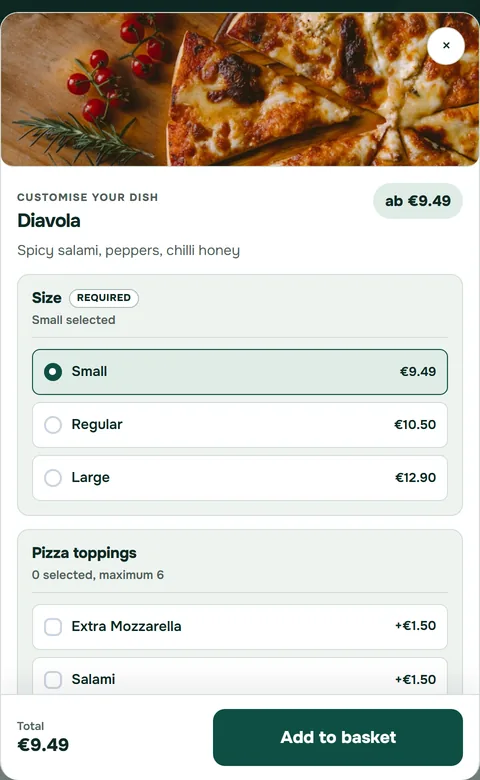
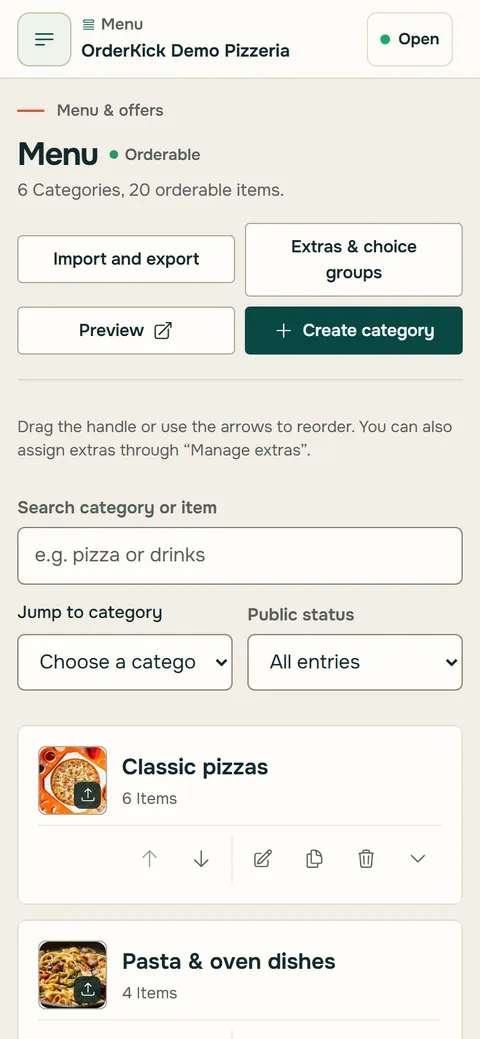
You bring your menu over with an import from GloriaFood, after a preview; images are not part of it. Allergens and labels are imported when GloriaFood provides them unambiguously; check them before publishing. You set up everything else once in the restaurant area; during the demo we go through your menu together.
Check now what the import would take over from your menu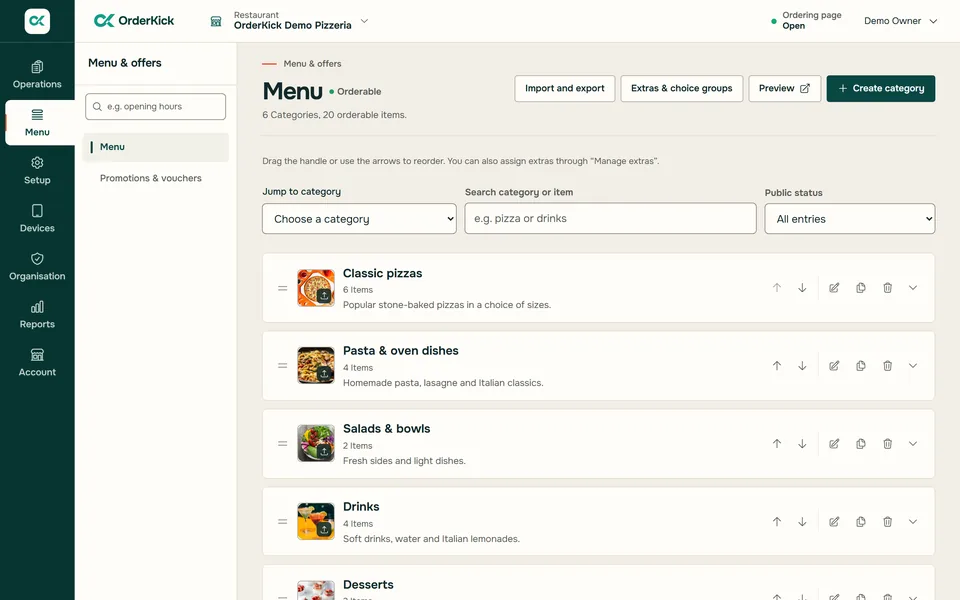
Moving to OrderKick
- Menu
- imported from GloriaFood, with sizes, extras and unambiguous allergens; without images
- Opening hours
- per service, with breaks and special days
- Delivery areas
- zones by radius, with delivery fee and minimum order
- Website
- a button for your website, or a page on orderkick.com
- Ordering link and guest app
- a new link; the guest app with your name and logo is an add-on
- QR codes, flyers, coupons
- new, QR codes as PNG or SVG, flyers in A4 and A5
- Payment
- cash or card on collection or delivery
- Order intake
- one active device per location
How do I switch?
Four steps. You set the pace.
GloriaFood keeps running until 30 April 2027. You switch once everything is tested.
- 1Review
During the demo we look at your menu and how you work.
 2Set up
You import your menu from GloriaFood and add hours and delivery areas in the restaurant area.
 3Test
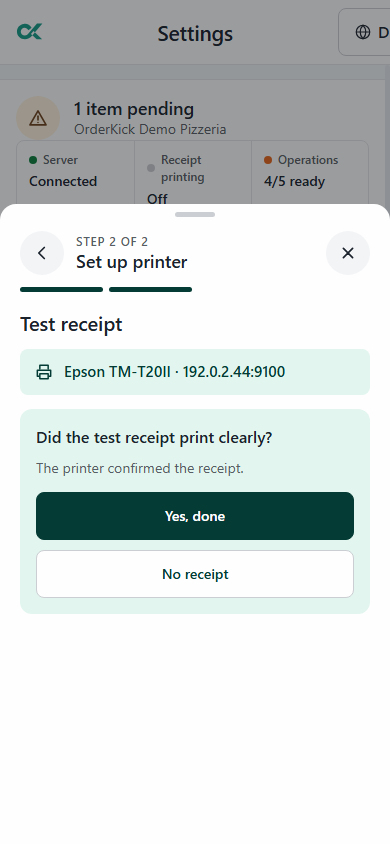
3TestConnect the printer, print a test ticket and place a trial order yourself.
- 4Switch
Point your website button, links and QR codes to the new ordering page.
Questions about switching
What GloriaFood users ask.
Still have a question?Support by email and WhatsApp. In the demo we go through your questions with you.
Ask on WhatsAppDo I have to switch now?
No. According to its own notice, GloriaFood keeps running until 30 April 2027. Your GloriaFood links stay active until OrderKick is set up and tested; only then do you switch.
How does my menu get in?
From GloriaFood you import your menu with the menu key or a file: first a preview with all notices, then the import as a hidden draft. Images are not transferred. Allergens and labels are imported when GloriaFood provides them unambiguously; please check them before publishing. From other systems you add categories, dishes, sizes and extras in the restaurant area. During the demo we go through your menu together.
Is guest or payment data transferred?
No. From GloriaFood, OrderKick takes over your menu only. Guest, order and payment data are not transferred. You reach your guests through the new link, the QR codes and your website.
How long does the switch take?
That mostly depends on your menu; we don’t name a fixed duration. The order is always the same: review, set up, test, switch.
What happens to my links and QR codes?
They keep pointing to GloriaFood. In OrderKick you get a new ordering link, a button for your website and QR codes as PNG or SVG. When you switch, you replace them everywhere: on your website, in your Google Business Profile and on printed codes. If your own domain forwards to GloriaFood, point that forwarding at your new ordering link with your domain provider.
Which printer do I need?
An Epson receipt printer with a network connection. We check which model fits during the demo. You connect and test the printer right in the app.
What does the switch cost?
The normal OrderKick price applies; you’ll find it on the pricing page.
Can I run several locations?
Yes, with one login. Changes to a shared menu are published deliberately to the locations you choose; price and availability can differ per location. A report brings the orders of all locations together.
Your next step
Your next ordering channel starts here.
We show you OrderKick with your own menu: 30 minutes, online via screen sharing. Reply by email within one business day.
And what does it cost? See pricing
Request a demoRather ask right away? Message us on WhatsApp